
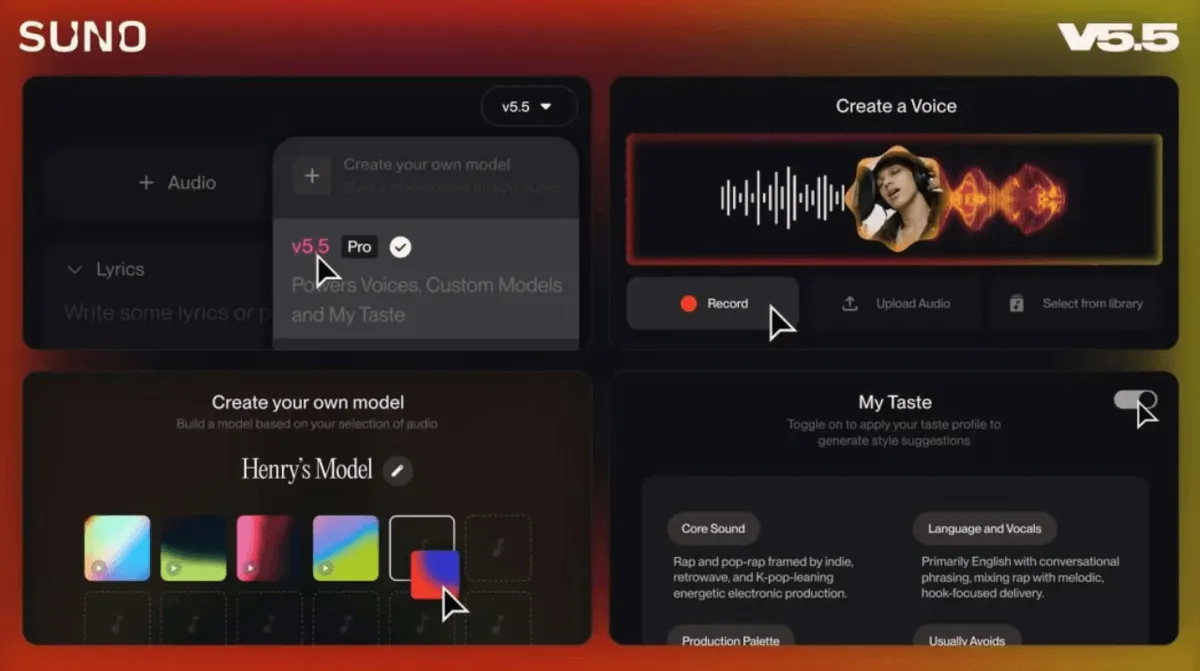
Suno 5.5: Custom Voice, Style, and Subscription & Data Essentials
What Suno 5.5 personalization costs in practice: Pro vs Premier for Voices and Custom Models, My Taste behavior, and a short privacy checklist.
Suno 5.5 bundles exciting creative tools with the boring reality of plans, limits, and data. This article maps personalization features to what you are actually paying for—and what you should verify in the latest Suno terms.
The deal in plain language
Personal voice and style features are powerful because they learn from your audio and your behavior. That upside comes with responsibility: know what uploads mean, what subscriptions unlock, and where to draw boundaries.
No scare tactics: Read the official policy pages periodically. Product copy changes; this post is educational, not legal advice.
Feature vs plan (conceptual)
| Feature | Value | Typical constraint |
|---|---|---|
| Voices | Consistent vocal identity | Higher tiers; verification required |
| Custom Models | Catalog-like style | Upload minimums; Pro / Premier |
| My Taste | Better suggestions | Preference learning from activity |
Exact entitlements move with Suno’s pricing pages—check before you budget a campaign.
What you are “trading” for personalization
Not your “soul”—but data signals and audio assets:
- Audio uploads for voice modeling.
- Interaction data for taste models (favorites, skips, regenerations).
- Account metadata tied to billing and support.
Reasonable creator hygiene:
- Use a dedicated email for music accounts if you separate brands.
- Download exports when the product offers them.
- Avoid uploading third-party vocals without permission.
Suno prompts still matter
Even the best Custom Model will not fix vague prompts. Keep a prompt template:
- Genre + BPM + key (if known)
- Vocal placement (“upfront pop vocal”)
- Section map (“short intro, verse, big chorus”)
When to skip personalization
If you only need one-off experiments, stock generation may be faster and cheaper than maintaining voice profiles and uploads.